Better rule tile container
The better rule tile container asset is the main asset file of the package. Everything you do will be saved into this asset, therefore you must create one before you start doing anything else.
There are two different versions of the container asset, based on which editor you want to use. To create an asset, right click in the project window, and navigate to:
- Create → 2D → Tiles → Better Rule Tile Container if you’d like to use the Better Rule Tile Editor
- Create → 2D → Tiles → Tileset Container if you’d like to use the Tileset Editor
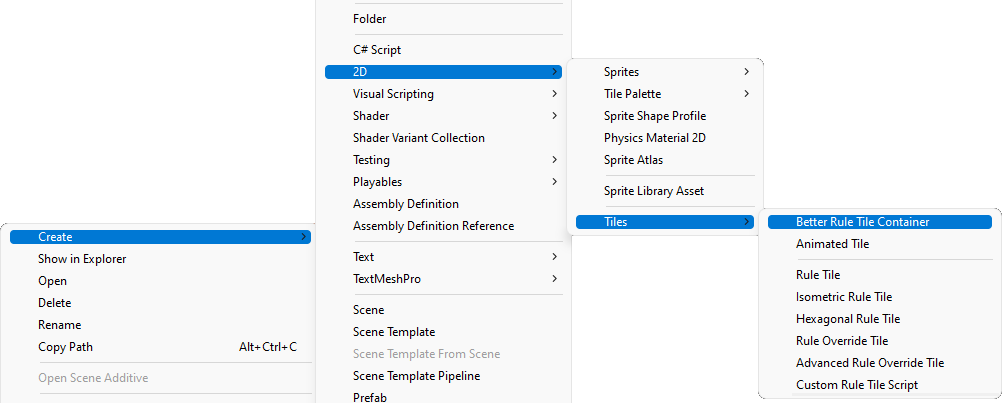
After you’ve created the asset you can either double-click to open it’s corresponding editor, or you can also select the asset and press the Open in editor window button to open it.

Asset behavior
Opening and closing container assets behave as the following:
- If you have multiple container assets each of them will open it’s own editor.
- When trying to open a container that already has an editor open, it’ll bring that editor into focus.
- Deleting a container asset while editing it will also close the editor.
Editing the container directly
You shouldn’t edit this asset directly, but only through the editor to avoid errors. Only edit the asset directly for debugging purposes!